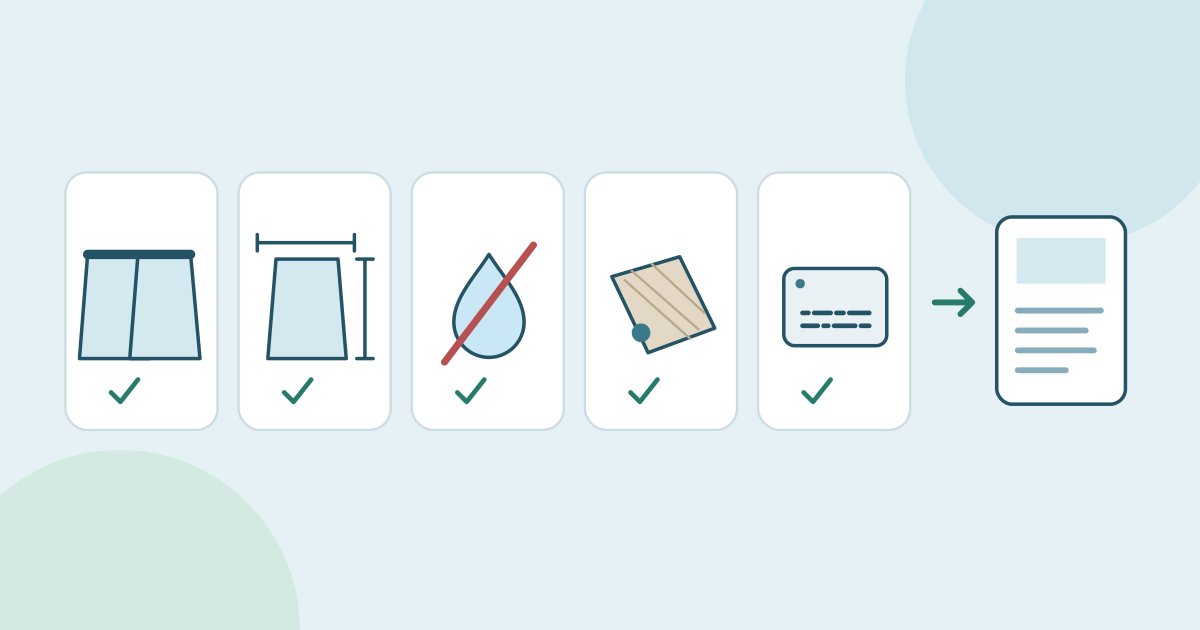
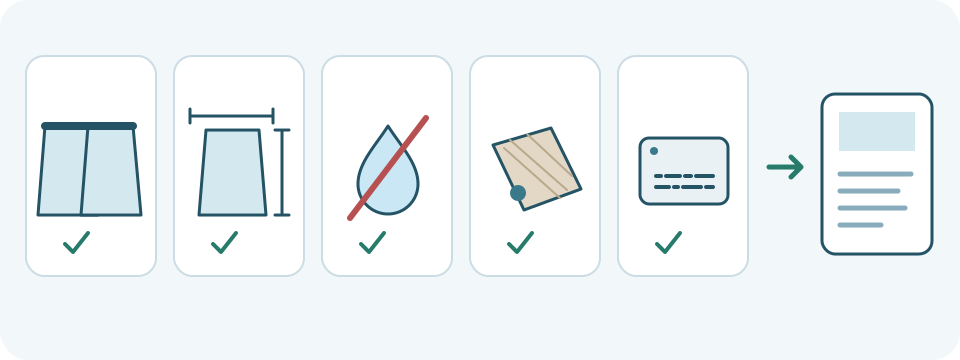
To translate a product description, keep the original product record, choose the actual source language and your intended target language, then translate a short passage. Compare every quantity, dimension, material, limitation and identifier before transferring the reviewed wording into the right listing. The JotMe demo below drafts pasted text. It does not connect to a store, verify specifications or publish a product page.
- Identify the exact product and variant, and keep the approved source wording.
- Separate fixed product facts from phrases that can be reworded naturally.
- Translate a short passage with the correct source and target languages.
- Compare the draft with the product record, including negatives and care limits.
- Save the checked wording outside the demo and inspect the actual listing.
Start with the product record, not a sales promise
A natural description still has to describe the same item. Keep the product name, SKU, model, variant, pack quantity, dimensions, material and care instructions together. If a source is ambiguous, ask the person responsible for that product record. Do not guess which size, certification or feature the seller intended.
- Keep a reference copy and record the product or variant ID, source version, intended language and audience.
- Mark identifiers that must stay exact, such as Luma and LM-218 in the fictional example below. An ordinary word inside an identifier is not automatically something to translate.
- Use the seller’s approved terminology where available. Keep factual corrections and deliberate marketing rewrites separate from the translation.
- Remove customer details, supplier credentials, unpublished commercial information and other material you lack permission to process.
This demo sends text for network processing; it is not an entirely offline catalog editor. Check the applicable privacy terms before sharing sensitive information. Use the fictional passage here if you only want to practice.
Translate one short description in the live demo
The example starts with English as the source and Spanish as the target. Change those selectors to match your own text and intended reader before pasting. Keep the original and a place to save the result outside the demo. The initial lifetime text allowance is 5,000 estimated tokens shared across requests, including input, translated output and any explanation. Earlier use can leave less; the counter is not a per-product word budget.
- Check both language selectors and paste the complete short description, including its exclusions and care sentence.
- Pause after typing. Translation starts automatically after about one second; there is no separate Translate button. Editing text or changing a language can start another request.
- Read the draft beside the source record. Any Explanation describes generated choices; it is not independent proof of the product’s features or translation accuracy, and it may be absent.
- Select and copy visible wording if your browser allows, or transfer a short checked passage manually. Inspect and save the copy before changing input or languages or leaving. A limit can clear the input and result.
- Correct wording in your own document. This component has no output correction editor, dedicated copy-all control, catalog download or automatic transfer of this draft into an account.
Use this author-written fictional source: “Luma cotton pouch. Pack of 2 pouches. Each pouch measures 12 × 18 cm. Zip closure. Not waterproof. Spot clean only. SKU LM-218.” It is a language exercise, not an observed JotMe result, a real product specification or an approved listing.
Try it yourself
0 / 5,000 used · 5,000 left
Translation will appear here
Explanation
An explanation of translation choices appears here when your translation is ready.
Worked example: keep the same product facts
An author-written Spanish reference is: “Bolsa de algodón Luma. Paquete de 2 bolsas. Cada bolsa mide 12 × 18 cm. Cierre de cremallera. No es impermeable. Limpiar únicamente las manchas. SKU LM-218.” This is one possible reference, not a guaranteed output or the only wording appropriate for every Spanish-speaking market. Compare any actual draft against the English source and intended audience.
- Quantity: “Pack of 2 pouches” → “Paquete de 2 bolsas.” Two is the number of pouches in the pack, not the number of packs or a dimension.
- Dimensions: “Each pouch measures 12 × 18 cm” → “Cada bolsa mide 12 × 18 cm.” The measurements describe each pouch, not the package. Keep both values, their relationship and cm.
- Exclusion: “Not waterproof” → “No es impermeable.” Do not drop the negative or replace it with an unsupported water-resistance claim.
- Care: “Spot clean only” → “Limpiar únicamente las manchas.” Keep the restriction; do not silently turn it into machine-washable or general washing instructions.
- Identity and construction: Luma, LM-218, cotton and the zip closure still identify the same item and its stated features. Do not invent a lining, material percentage or certification.
A reader who does not know Spanish can compare visible digits and identifiers, but those checks cannot establish that a negative, care restriction or material term is correct. Ask a suitable bilingual reviewer about uncertain wording. A fluent explanation or a back-translation can suggest questions; neither independently verifies the product or every meaning.
Adapt the wording without changing the offer
Natural local phrasing can help readers understand an item, but tone changes must stay within the approved facts. Keep an ordinary pouch an ordinary pouch: do not add premium quality, sustainability, medical benefits, universal compatibility or a performance guarantee merely because a phrase sounds persuasive. Revisit the source record if a desired claim has no support.
- Keep brand-approved terminology consistent across the title, description, bullet points and variant labels. Check the term in the intended regional language rather than assuming every Spanish or English market uses the same wording.
- Preserve numeric values and units during this translation task. Any size-system or unit conversion needs a separate verified decision and arithmetic check; do not treat a different unit as a stylistic edit.
- Keep price and currency tied to the actual offer. Changing the language does not authorize changing a currency symbol, converting a price or assuming where the product ships.
- Do not invent stock availability, delivery times, return terms or compatibility. Translate only the offer the responsible seller has approved.
Translation and a multilingual store are different jobs
Amazon’s own guide describes seller-account listing tools and a provider network. Cartum’s help page describes language-specific product fields and an import workflow. Those are platform features. This JotMe text demo provides a passage draft for you to review and transfer separately; it does not import a product catalog, synchronize SKUs, create language URLs or update checkout.
Read Amazon’s guide to product-listing translation
Read Cartum’s product-name and description workflow
For many products, use your store’s appropriate catalog workflow and preserve the original records. An HTML description, CSV import, JSON specification or spreadsheet needs its own structure checks. Do not paste a whole structured export into this text demo expecting valid markup, preserved column types or an import-ready file.
Check the description where customers will see it
- Put reviewed text into the correct product and variant in your own authorized store workflow. Inspect what was pasted before saving or publishing.
- Compare the final title, bullets, specification fields, images and description. A correct sentence beside the wrong size or photograph still describes the wrong offer.
- Read the actual layout for truncation, broken line breaks and missing words. Recheck the pack quantity, each-item dimensions, negatives, care limits and identifiers.
- If the product record changes, update the affected wording and every relevant language version from the new approved source. Keep a record of the version and reviewed decision.
Search terms are a separate research task. A direct translation of a keyword is not proof of local search demand, and translating a description does not guarantee traffic or sales. Check how the intended audience actually names the product, then use relevant wording only when it truthfully describes the item. A whole store also needs its own navigation, delivery, returns, checkout, metadata and language-routing work.
When the description is only in a photograph
The separate image workflow can produce a translated image and original/translated text blocks for supported photographs. Compare them with the image, including small print, quantities and units. If you choose this embedded text demo instead, first obtain and verify the original-language text. Do not use an already translated block as though it were the original. The text component does not upload a photo or preserve packaging layout.
Use the separate image translation workflow
Read the guide to translating a product label
For a longer description, keep related sentences and qualifiers together and work only while the displayed allowance permits. Save the source and checked wording elsewhere. Splitting a description, editing it or changing languages does not reset the lifetime allowance. An account or another service follows its own current terms; this draft is not promised to transfer automatically.
Open the full text translation tool
A short final check before publishing
- The product, variant and source version match.
- Quantities, dimensions, units, identifiers and materials remain accurate.
- Negatives, care restrictions and supported claims remain intact.
- Uncertain wording has been resolved against the approved record.
- The actual listing, images and related product fields agree.
Frequently asked questions
How do I translate a product description into English?
Keep the correct product and variant record, select its actual source language and English as the target, then translate a short complete passage. Compare quantities, measurements, materials, negatives, care instructions and identifiers. Save the checked wording outside the demo and inspect the actual listing before publishing.
Can JotMe translate my whole Shopify or Amazon catalog?
This embedded text demo drafts a pasted passage. It does not connect to Shopify, Amazon or another store, import a CSV, synchronize SKUs or publish listings. Use the appropriate authorized catalog workflow for structured product data, and review translated content before importing or publishing it.
Should I translate brand names and SKUs?
Keep functional identifiers such as SKUs and model codes exact unless the responsible product record explicitly supplies an alternative. Follow approved brand terminology and verify any official localized product name. Do not translate an identifier by guesswork or substitute a different variant.
Will a translation convert sizes, units or currencies correctly?
Do not assume it will. Preserve the approved values and units for this passage translation. Any conversion is a separate decision requiring verified arithmetic and the right product or offer context. Changing the language is not permission to change a price, currency, size system or delivery promise.
Can I translate a product description from a photo?
Use the separate supported image workflow and check its translated image and original/translated text blocks against the photograph. If you use the text demo instead, obtain and verify the original-language text first. Check small print, negatives and measurements; this text component does not upload or scan the photo.
Will translating the description improve my search ranking or sales?
There is no guarantee. Local keyword demand, the accuracy and usefulness of the listing, the product offer and the store’s broader setup all matter. Research relevant local terms separately, keep claims truthful and review the final customer-facing page. A fluent draft alone does not establish an SEO or conversion result.
Can I edit, download or keep translating products here for free?
The initial lifetime allowance is 5,000 estimated tokens shared across requests, including input, translated output and any explanation; earlier use can leave less. Editing, splitting text or changing languages does not reset it, and a limit can clear input and results. This component has no output correction editor, dedicated copy-all control or catalog download. Copy visible text if your browser permits, or transfer a short checked passage manually, and save it elsewhere before changing input or leaving.