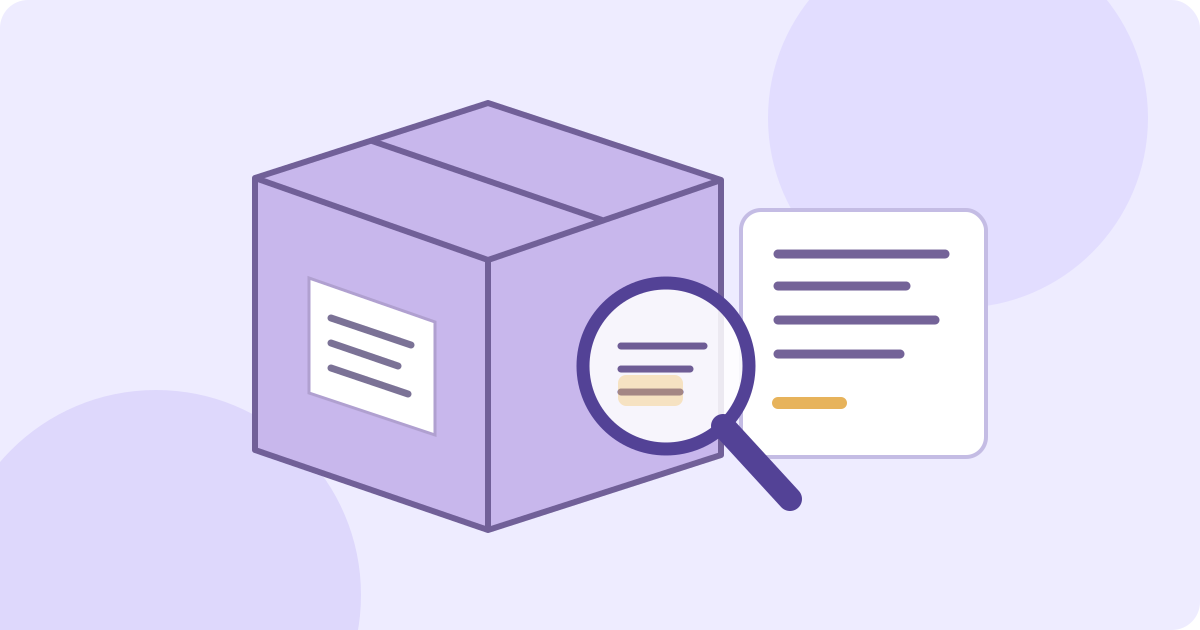
To translate a product label into English, photograph the relevant panel clearly, upload the saved image, choose English, compare the recognized source text with the package, then check the translation. Read the small print as carefully as the product name. The JotMe image translator below provides a draft translation and source/translation blocks; a tidy result does not prove that every word, number or warning is correct.
Go to the label-photo translation steps
Decide which label information you actually need
Start with an ordinary label you are allowed to process. A front panel may name the product while directions, model details or qualifications appear elsewhere. Keep the whole package as your reference and identify the exact panel you translate. This guide concerns reading visible text from a saved image, not creating an approved replacement label or localizing packaging for sale.
- Product name and model: preserve identifiers in their source form and check every letter, digit, hyphen and suffix. A similar-looking model is not necessarily the same item.
- Quantity, units and dates: keep the number beside its original unit or heading. Translation is not unit conversion, and a bare numeric date does not explain what that date refers to.
- Directions, negatives and conditions: include the whole sentence and any nearby qualification. A heading, warning symbol or arrow can connect information that would otherwise look separate.
- Words and non-text marks: a barcode, QR code, logo or pictogram is not a translated sentence. This image workflow does not verify product identity, decode every symbol or authenticate the item.
Check that you may send the photo to a service and use its output. Remove unrelated address labels, names or private order information from a working copy without cutting away context needed for the label. This demo uses network processing; it is not an entirely offline camera translator. Review the service’s actual privacy terms.
Photograph a panel so the small print remains readable
- Keep an unedited reference photo of the package and the original label. Take a straight-on close-up of the panel you need, using even light and avoiding flash glare on glossy film.
- Check the saved image at a readable size. Small letters, decimal separators, minus signs and fine strokes must be visible before recognition; enlarging a blurred photo cannot recreate missing detail.
- For curved packaging, photograph the relevant faces separately rather than expecting text hidden around an edge to appear. Keep a record of which panel each image shows.
- Keep the heading, number, unit, footnote and full instruction together. Crop background clutter without removing the beginning of a negative or the condition at the end of a line.
- Choose the useful image before processing. The demo currently offers one free image translation counted when server processing completes, not when you select a file. Each separately processed image or crop can use that allowance even when its result has warnings or missing text. Check the remaining counter before planning several panels.
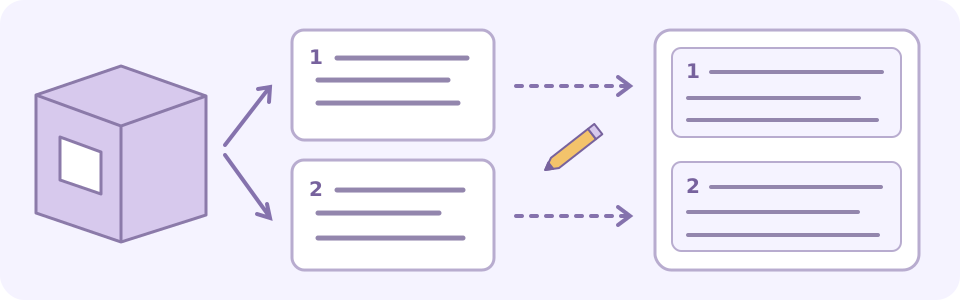
Upload the photo and compare its translation blocks
The embedded demo starts with the supported English (US) target. Source-language detection is automatic; this image tool has no manual source-language selector. The target is the language you want to read, not the language printed on the label. You may select another supported target, but recognition is not guaranteed for every script, mixed-language panel or decorative font.
Use a saved PNG, JPEG, WEBP or static GIF within the uploader’s currently displayed 4 MB limit. Animated GIFs are not supported. For HEIC on a Mac, open the photo in Preview and choose File > Export, then PNG or JPEG, and save a new copy. For a PDF, open the needed page in Preview and export an image copy; repeat only for pages you need. Keep the original and inspect the saved file’s size and small print before uploading. Renaming an extension is not conversion. These are Apple-documented steps, not a guarantee that every converted image will be readable.
- Choose English (US), or another supported reading language, in Translate to. Select or drag in the saved panel photo. Inspect the preview and file details; replace a blurry or incomplete image before processing.
- Select Translate image and wait for the result or an error. The allowance counts completed server processing, not complete or accurate recognition. A returned image can use one translation even with warnings, missing words or no readable detected text. Check the displayed usage after a result or error; a loading stage or a failed local save does not establish whether a credit was used.
- Compare Original and Translated. Read the warnings and look for missing text, altered numbers, overlaps or words that did not fit. A translated-looking label is not evidence that the package is safe or authentic.
- Select Show translation blocks. Match each Source passage to the actual panel and check Translation against it. In your own record, add the image filename, panel name and first few source words beside each copied passage; compare the whole relevant block, small print and attached condition. Similar opening words on two panels are not enough to identify the source.
- Use Copy all if you need the text. It attempts to copy source and translation as pairs, not a final corrected label. Paste into your own document and inspect the words; if copying fails, save a short passage manually and compare it with the display.
- Save the reference photo, checked text and any translated image before changing the target, selecting or replacing a file, Translate another image or leaving the page. These actions can clear the current result. Keep panel identity, uncertainty and unreviewed sections visible.
Try it yourself
Apple’s instructions for exporting PDFs and images
If the remaining allowance is zero and the current result is still visible, save its source/translation pairs and translated image before selecting another file or navigating away. Continue comparing that saved material with the original package, or resolve unclear wording through the exact manufacturer reference and a fluent reviewer. This does not process another panel or grant new image credits. No particular signup allowance is promised.
Check the source before interpreting the small print
- Match the product and model first. Do not combine directions from one package variant with an image of another because their names look similar.
- Read the entire quantity-and-unit pair against the original, including decimals, ranges and small suffixes. In a fictional example, a faint comma in “0,5 kg” misread as “5 kg” changes the quantity. Retain the printed string and unit; mark [unclear decimal separator] until checked. Translation is not unit conversion, and a missing unit must not be invented.
- Keep a date beside its exact printed heading. A fictional “Fecha: 03/04/2026” does not settle day/month order or say that the date is an expiry date. Record “Fecha: 03/04/2026 — [date order and meaning unresolved]” and check the exact product’s reliable information rather than choosing an interpretation or product status silently.
- Follow the relationship between headings, footnotes, symbols and their nearby words. A symbol that was not recognized as text still needs its own reliable explanation; the absence of a translated block does not remove the original mark.
- Check negatives such as no or not, restrictions such as only, and conditions such as if. Read across line breaks so a condition remains attached to the action it limits.
- On a multilingual label, identify the matching section rather than mixing pieces of parallel translations into one instruction. Ask a fluent reader about an unfamiliar source script or unresolved wording.
A high confidence label does not establish that every character or meaning is correct. Compare the relevant source text with the real label even when the English reads smoothly. Inspect the whole panel you need; a few returned blocks are not proof of complete coverage.
A fictional paper label: keep the negative and quantity
This author-written example is not a real product, an uploaded image or a JotMe accuracy test. Suppose a paper-supply label says in Spanish: “Contenido: 3 hojas. No doblar. Guardar en plano.” An explanatory English reading is: “Contents: 3 sheets. Do not fold. Store flat.”
- “Fold the 3 sheets” keeps a number but reverses the negative. Check No in the source before polishing the English.
- “Contents: 30 sheets” changes the quantity even if every other word sounds natural. Compare the actual digit and its unit, not only the sentence.
- The quantity describes the contents; it is not a new instruction to fold, cut or use the sheets. Keep the heading and separate instructions attached to their own text. These illustrations explain review errors, not observed tool results.
Keep ingredient statements and advisory wording distinct
For a fictional wording example, Spanish “Contiene leche” means “Contains milk”; “Puede contener leche” means “May contain milk.” Do not turn possibility into certainty or drop the qualifying word. FDA’s U.S. guidance distinguishes an ingredient-allergen disclosure from a separate precautionary statement. This translation example cannot establish whether any food is safe, and an absent advisory is not proof that an allergen is absent. Confirm safety-related information independently before acting.
FDA’s explanation of contains and may contain wording
Correct a bad source reading in a separate working copy
If Source misreads a word, confirm it from the original label or a reliable product source before correcting a separate transcription. The image result has no inline correction-and-retranslate editor. A checked passage can use the separate text translator with explicit source and target languages, within its own allowance. Keep the original photo, correction evidence and translated passage together; changing the image target does not repair misread source text.
Translate a checked label passage
Save a reading record that still points to the original
- Record the original filename, exact product/model and variant, panel and section, first few source words, source and reading languages, recognized wording, evidence-backed corrections, translation, unresolved marks, reviewer/date and status.
- For example: “package-reference.jpg; back panel, first paragraph; source starts Contenido: 3 hojas; DRAFT; [unclear unit after 3]; front panel not reviewed.” This is a fictional format for your own notes, not a JotMe export or a processed result.
- When the uncertainty is resolved, record the actual evidence, reviewer and date. Mark only the checked panel and passage as reviewed; do not label the whole package verified.
- Download translated image saves a rendered image, not an editable packaging file, verified transcript or searchable PDF. Save copied text separately to edit it, and inspect the opened file or pasted text rather than relying on a success-looking button.
A draft translation does not replace the original label, authenticate the package or establish compliance for sale in another market. Before acting on safety, suitability or operating information, match the exact model, variant and relevant market to the manufacturer’s current official label or instructions and confirm important wording with an appropriate qualified person. A similarly named product page is not evidence for the package in hand. Do not use an automated draft to decide about medicines, allergens, chemicals or equipment compatibility.
When a panel still does not read clearly
- Tiny print or glare: retake a closer, evenly lit photo without hiding adjacent context. Do not keep spending the allowance on the same unchanged unreadable image.
- Curved or folded label: return to the original and photograph the needed face. A front-facing photo cannot establish what is hidden on the back or around the curve.
- Wrong detected language or strange English: inspect Source first. There is no manual source override in this image demo; use a separately verified transcription and the text tool when appropriate.
- Missing blocks, symbols or a cut-off condition: keep the unfinished part labelled. Do not fill the gap from a similar product’s label or assume a warning was absent.
- Copied text or downloaded image is incomplete: inspect the actual saved material. Preserve a short passage manually if needed, compare it with the display and keep the unresolved portion visible.
Google’s image-translation guidance notes that small, unclear or stylized text can reduce accuracy. The practical step is to improve the source photo and check its words; that guidance is not proof that Google and JotMe recognize every label in the same way.
Google’s guidance for translating images
For printed words in a screen capture, use the screenshot guide. For notes written by hand, use the handwriting guide: faint strokes and joined letters need a different source-reading check. A package photo is neither a live camera scan nor a search for a product by its barcode.
Translate text in a screenshot
Read and check a handwritten note
Frequently asked questions
How can I translate a product label into English from a photo?
Save a clear image of the relevant label panel, choose a supported English target and run image translation within the displayed allowance. Compare Source with the actual package, then check Translation for every relevant block. Keep the original and any unclear words; a fluent draft translation does not prove complete or accurate recognition.
Can this tool identify a product from its barcode or symbols?
This workflow translates readable text in an image. It does not authenticate the package, establish product identity or decode every barcode, QR code or pictogram. Preserve model numbers and symbols and use the manufacturer’s reliable information when their meaning matters.
Can I translate every side of a package with one photo?
Only visible submitted text and returned readable regions are represented; hidden faces, cropped conditions and missing blocks remain unreviewed. Keep a reference for each panel. The demo provides one free image translation counted when server processing completes, including a separately submitted crop. Warnings, incomplete recognition or a returned image with no readable text can still use it. If the allowance is exhausted, save and review the existing result and original; another panel is not processed by copying or recording it manually.
Which image files and size can I upload?
The uploader accepts PNG, JPEG, WEBP and static GIF images and currently displays a 4 MB limit. Animated GIFs, HEIC photos and PDF files are not direct inputs here. Make a genuinely converted supported image copy, preserve the original and inspect the small print. Renaming an extension does not convert the file.
Does translation also convert units or explain date codes?
Do not assume so. Keep each number with its printed unit, heading and context and compare every character with the label. If a date or code is ambiguous, preserve the original string and mark it unresolved; a translated reading does not by itself establish the product’s status or suitability.
Can I copy the words or download an editable label?
Show translation blocks provides source and translated pairs, and Copy all attempts to copy them. Paste and inspect them or save a short passage manually if needed. Download translated image saves a rendered image, not an editable packaging document, verified transcript or searchable PDF. Save before changing the target, selecting or replacing a file, Translate another image or leaving.
Can a high-confidence translation replace official product instructions?
No. A high confidence label does not prove every word or number correct. Check the original wording and exact product. For consequential safety, suitability or operating information, match current official manufacturer instructions to the exact model, variant and relevant market, and obtain confirmation from an appropriate qualified person. A draft does not approve a replacement label or establish authenticity.