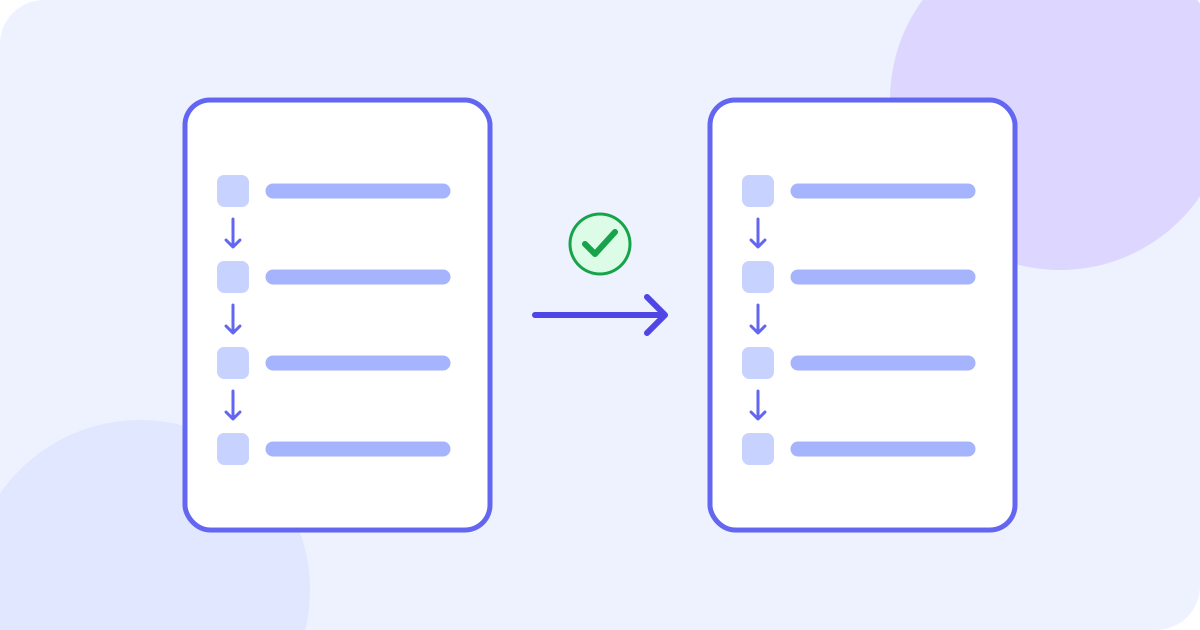
To translate instructions, keep the original, translate each step with its surrounding conditions, then compare the actions, objects, numbers and order. Check what must happen first, what must not happen and when the reader should stop. Put reviewed wording into your own document and inspect the version people will actually use. The JotMe demo below drafts a pasted passage; it does not verify a procedure, operate software or produce an approved manual.
- Identify the correct source version and read the complete procedure.
- Choose the actual source language and a supported target language.
- Translate a short sequence with its prerequisites and notes.
- Compare each action and condition with the source, then resolve uncertainty.
- Save the reviewed wording and inspect the complete final instructions.
Choose between understanding text and changing a procedure
Translation changes the language of an instruction. It does not authorize a different action, substitute a part or correct the source by guesswork. This guide uses a fictional, low-risk training passage. For instructions affecting physical safety, regulated work, security or critical equipment, use the applicable approved source and qualified help. Do not act on an unresolved instruction merely because an automatic translation sounds confident.
Prepare the source and its context
- Keep an unchanged copy and record the document title, version, intended audience and relevant product or software version. Do not mix steps from different revisions.
- Read headings, prerequisites, warnings, numbered steps, notes and linked references together. Include the information needed to interpret the passage instead of translating an isolated command.
- Resolve unclear source wording with its author or responsible owner. Record the issue and the approved decision; do not silently repair it only in the translated version.
- Make a small reference list of names, interface labels, file names, codes, quantities and units. Distinguish words to translate from identifiers that must remain exact.
Use text you have permission to process. Remove private names, credentials, internal paths and confidential operating details from practice material. This demo sends text for network processing; it is not an entirely offline editor or a promise of a particular retention schedule. Check the applicable privacy terms before sharing sensitive content.
Draft a short sequence with the text demo
The example starts with English as the source and Spanish as the target. Choose your own passage’s actual source and a different supported target before pasting. Prepare the source and a place to save the result outside the tool. Check the counter: the initial lifetime text allowance is 5,000 estimated tokens shared across requests, including input, translated output and any explanation. Previous use can leave less; splitting, editing or changing languages does not reset it. This example demonstrates English to Spanish. To translate into English, select the passage’s actual source language and English as the target; do this before pasting.
- Check both language selectors, then paste the short sequence with its conditions and notes.
- Pause after typing. Translation begins automatically after about one second; there is no separate Translate button. Editing or changing a selector can start another request.
- Read the draft beside the source. Any Explanation describes generated choices, not independent proof that an instruction is accurate, complete or safe; an explanation may be absent.
- Select and copy visible text if your browser permits, or transfer a short checked passage manually. Inspect the pasted copy and save it before changing input or languages or leaving. A limit can clear the input and result.
- Make corrections in your own document. This component has no output correction editor, dedicated copy-all control, manual download or automatic transfer of the current draft into an account.
Use this author-revised fictional language exercise (source version 2), not an approved software procedure or an observed JotMe result: “PracticeSource contains sample-a.txt and sample-b.txt. 1. Create a folder named Aurora. 2. Copy these two sample files from PracticeSource into Aurora; do not move the originals. 3. If either copy is missing from Aurora, stop and check the original files in PracticeSource. 4. Compare each copy’s filename with its original filename in PracticeSource. Share Aurora only after both copies’ filenames match their respective originals.” The author revised the source to name the original location and define the check before updating the Spanish reference. This exercise checks filenames only, not file contents, permissions or safe software operation. No real files are created, copied or shared by the text demo.
Try it yourself
0 / 5,000 used · 5,000 left
Translation will appear here
Explanation
An explanation of translation choices appears here when your translation is ready.
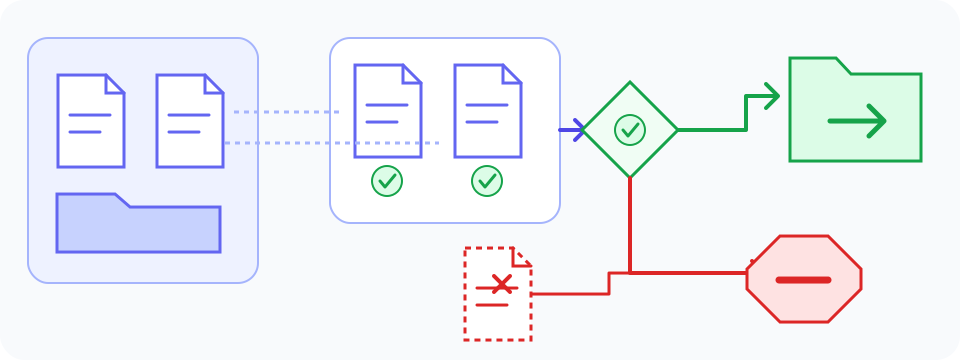
Worked example: compare actions and conditions
The corresponding author-written Spanish reference for source version 2 is: “PracticeSource contiene sample-a.txt y sample-b.txt. 1. Crea una carpeta llamada Aurora. 2. Copia estos dos archivos de ejemplo desde PracticeSource en Aurora; no muevas los originales. 3. Si falta alguna de las dos copias en Aurora, detente y comprueba los archivos originales en PracticeSource. 4. Compara el nombre de cada copia con el de su archivo original en PracticeSource. Comparte Aurora solo cuando los dos nombres coincidan con los de sus respectivos originales.” It illustrates a possible rendering, not a guaranteed demo output or the only appropriate Spanish wording. Compare any actual result with the complete English source, including its prerequisite sentence.
- Step 1 — Source: “Create a folder named Aurora.” Spanish reference: “Crea una carpeta llamada Aurora.” Meaning to preserve: Aurora is a functional folder name, not a word to translate into a different identifier.
- Step 2 — Source: copy sample-a.txt and sample-b.txt from PracticeSource into Aurora; do not move the originals. Spanish reference: “Copia estos dos archivos de ejemplo desde PracticeSource en Aurora; no muevas los originales.” Meaning to preserve: two files, the named source and destination, copying rather than moving, and the prohibition on moving originals.
- Step 3 — Source: if either copy is missing from Aurora, stop and check the originals in PracticeSource. Spanish reference: “Si falta alguna de las dos copias en Aurora, detente y comprueba los archivos originales en PracticeSource.” Meaning to preserve: a condition, not a claim that a file is definitely missing; keep the stop action and the named place to check.
- Step 4 — Source: compare each copy’s filename with its respective original in PracticeSource; share Aurora only after both match. Spanish reference: “Compara el nombre de cada copia con el de su archivo original en PracticeSource. Comparte Aurora solo cuando los dos nombres coincidan con los de sus respectivos originales.” Meaning to preserve: compare both filenames with their own originals before sharing, not before checking or after checking only one. This does not establish that file contents match.
Without knowing Spanish, you can compare visible names, digits, step counts and whether each source line has a counterpart. Those checks cannot establish that a negative, condition or action verb has the same meaning. Ask someone who understands both languages and the task about uncertain wording. A back-translation can raise a useful question, but a matching result or fluent explanation is not independent proof.
Keep the sequence and its branches intact
- Check prerequisites before the main action. Words such as before, after, until, unless and only if determine when a step applies.
- Match each source step with its translated counterpart. Watch for merged instructions, missing notes and references that now point to the wrong step.
- Preserve every conditional branch actually stated in the source. A troubleshooting possibility must not become a confirmed diagnosis or an unconditional command. Do not invent an unstated alternative; if a missing outcome prevents understanding, ask the source owner.
- Preserve numbers with their objects and units. Translation alone is not a reason to change a quantity, convert a measurement or invent a missing limit.
- Preserve the force of an instruction as well as its sequence: identify whether the source requires, recommends, permits or makes an action optional. In this fictional language contrast, “You must save the file” requires saving, while “You may save the file” grants permission. Do not weaken a requirement or turn permission into an obligation; resolve ambiguous wording in its actual context.
Match names and labels to the real task
Use a reference list that connects the original term, the reviewed wording and where it appears. Check whether a control has an actual localized label; do not invent a button name that the reader cannot find. Keep file names, URLs, codes and other functional identifiers exact unless the responsible documentation explicitly provides an alternative. A diagram or screenshot needs its own label check; a text translation does not update the artwork. Fictional mapping for this exercise only: source control label “Share” → supplied Spanish training label “Compartir”; identifier “Aurora” → unchanged “Aurora”. The label is supplied by the fictional source owner, not observed product UI. For real software, verify the actual interface language and version rather than assuming every Spanish interface uses that label.
Review the final instructions in their actual setting
iFixit’s translation guide advises correcting source errors before translating the correction, then viewing and reviewing the finished guide.
Read iFixit’s guide to manually translating guides
- Read the complete saved target-language version in order, including headings, notes and references. Check that copied text has not been cut off or put beside the wrong image.
- Ask a suitable reviewer to explain the prerequisites, actions, decisions and stop conditions. Resolve differences against the source and the owner’s intended procedure.
- Where appropriate, check the instructions in a safe, permitted test setting under the responsible owner’s process. Do not use an unverified translation as permission to try hazardous work or alter a live system.
- After assembling sections, check that “return to step 2” still points to the intended copying action, not a newly numbered check. Match figure labels and linked headings too. Preserve source numbering during translation; record any deliberate restructuring separately under the owner’s process.
Keep source changes traceable
Record the source location, original wording, translated wording, issue, reviewed decision and version in your own document. If the authoritative source changes, revisit every affected step, note and language version. Do not combine an old diagram with a new procedure or reuse an approved sentence in a different context without checking it. Fictional worked record: source v1, step 4; original “Share the folder only after both copies have been checked”; former Spanish reference “Comparte la carpeta solo después de comprobar ambas copias”; issue: “checked” did not define a completion condition. Decision: the author revised the fictional source to v2 with a filename comparison, then revised the reference to “Comparte Aurora solo cuando los dos nombres coincidan con los de sus respectivos originales.” This is an author-approved source revision for the exercise, not merely a translation correction or approval of a real procedure.
When instructions are a photograph or a scanned page
The separate image tool can provide a translated image and original/translated text blocks for supported photographs. Review that result directly against the image, including step order, labels, fractions and notes. If you instead choose this text demo, obtain and check the original-language text first. Do not treat an already translated result as the original. A selectable PDF may copy text in the wrong order; a scan needs a separate recognition step. This embedded text component does not upload, reconstruct or preserve the layout of a manual.
Use the separate image translation workflow
Check a handwritten source before translating it
For a long procedure, keep meaningful sections with the context needed to interpret them, then inspect the assembled result for missing steps and cross-references. Work only while the displayed allowance permits, and keep source and checked wording saved outside the tool. If more work requires an account or another service, follow its current terms without assuming the current draft transfers or a new allowance is guaranteed.
Open the full text translation tool
Before you use or distribute the translation
- Confirm the source document, version and intended audience.
- Compare every action, object, negative, obligation, condition, quantity and reference.
- Keep source corrections and deliberate procedural changes distinct from translation.
- Resolve material uncertainty with the responsible owner or an appropriate reviewer.
- Inspect the complete saved document and its diagrams in the form people will receive.
Frequently asked questions
How do I translate instructions into English?
Keep the correct source version, choose its actual source language and English as the target, then translate a short sequence with the prerequisites and notes needed to understand it. Compare actions, objects, negatives, obligations, conditions, numbers and step order before saving the reviewed wording. The text demo drafts pasted words; it does not verify or approve the procedure.
Can I translate instructions from a photo?
Use the separate supported image workflow and review its translated image and original/translated text blocks against the photograph. If you use the text demo instead, first obtain and check the original-language text. Keep step numbers, labels, quantities and notes connected. This embedded text component does not upload or scan a photograph.
Will translation preserve the numbered steps automatically?
Do not assume so. Compare every source step and its conditions with the target, then inspect the assembled document. Keep prerequisites, branches and cross-references intact. The same number of steps does not prove that their actions or order are correct. Preserve the branches actually stated and the strength of required or optional actions; do not invent missing alternatives.
Should I translate file names, part numbers and button labels?
Keep functional identifiers exact unless the responsible documentation provides an authorized alternative. For a visible control, check the actual localized interface or label and preserve the mapping to the source. Do not invent a label or change a code simply because it resembles an ordinary word.
Can I rely on an AI translation for safety-critical instructions?
Use the applicable approved source and qualified review for hazardous, regulated or otherwise critical work. An automatic draft, explanation or back-translation does not establish technical correctness or safe use. Resolve material ambiguity before relying on an instruction; do not fill missing steps or specifications by guesswork.
Is the free allowance enough for a whole manual?
That is not guaranteed. The initial lifetime text allowance is 5,000 estimated tokens shared across requests, including input, translation and any explanation; earlier use can leave less. Check the counter and keep contextual sections together. Splitting, editing or changing languages does not reset it. Save source and checked results elsewhere because a limit can clear the input and result.
Can I edit or download the finished instructions here?
This text component has no output correction editor, dedicated copy-all control or manual download. Select and copy visible wording if your browser permits, or transfer a short checked passage manually into your own document. Inspect and save it before changing input or languages or leaving. Creating an account does not promise that this draft transfers.