To translate a personal letter from English to Spanish, keep the complete English wording, choose English as the source and Spanish as the target, then check the draft against the original before sending it. Preserve who is writing to whom, the request being made and any conditions. The live text demo below can draft a short pasted passage; it does not send mail or certify a letter.
- Keep an unchanged original and decide who will read the letter.
- Check the English text, including any text extracted from a paper letter.
- Set English → Spanish before pasting a short, permitted passage.
- Compare the complete Spanish draft with the English original, especially requests, negatives, names and dates.
- Save and review the final letter in your own document before sending it.
Start with the Letter’s Purpose and its Reader
A note to a familiar friend and a letter to someone you have never met may need different greetings, pronouns and closing phrases. Write down the intended relationship and the Spanish variety your reader uses. These are things to resolve in the letter or with a capable reviewer: this demo has language selectors, not a dedicated tone, recipient-context or regional-Spanish control.
For an ordinary personal letter, keep your own voice without adding affection, urgency or promises that were not in the source. A polite request is still a request, rather than an agreement already made. If a joke, indirect refusal or ambiguous sentence carries the point, ask a suitable bilingual person to help before sending it.
Prepare a Complete, Accurate Source
- Include the greeting, every paragraph and the closing. Keep a separate note of any enclosure the letter actually mentions.
- Resolve a typo or unclear reference in your own English first, while retaining the original version. Do not silently repair a received letter by guessing what its sender meant.
- Replace unnecessary private names, addresses or identifiers with consistent placeholders where that preserves the task. Keep the mapping outside the tool and restore details only in your final document. After restoring details, review the greeting, pronouns and gender/number agreement with the writer; do not infer gender from a name or assume replacing a placeholder fixes its surrounding wording.
- Use only text you are authorized to process. This demo sends the pasted passage for network processing; it is not an offline or device-only workflow.
Try the English-to-Spanish Text Demo
The embedded component starts with English and Spanish selected. Check both selectors before pasting. It begins translating automatically after a short pause; there is no separate Translate button in this text component. Prepare the passage outside the tool first, since edits and language changes can trigger another request.
- Select English on the source side and Spanish on the target side. The swap control reverses the direction; it is not a tone adjustment.
- Paste a short complete passage that you have permission to process, including the sentences needed to understand its request.
- Wait for the translated text and any Explanation. An explanation describes generated choices, not an independent fact check or approval of the letter.
- Select and copy the returned letter text into your own document using your browser’s normal controls. Keep the Explanation separate from the letter.
- Save the English source, Spanish draft and unresolved questions outside this page before editing, switching languages or leaving.
Try it yourself
0 / 5,000 used · 5,000 left
Translation will appear here
Explanation
An explanation of translation choices appears here when your translation is ready.
The initial public text allowance is 5,000 estimated lifetime tokens, shared with previous text-demo use. Input, translated output and explanation contribute to usage; it is not 5,000 words or a new allowance for every letter or day. Check what remains. Editing, splitting a letter or changing languages does not reset it, and a retry is not promised to be free. A quota message can clear the current input, so keep your own copy.
For a longer letter, keep connected paragraphs together when the remaining allowance permits. Preserve references to people and earlier requests. Save each section, then check address, tense, recurring terms and closing across the assembled letter. Separate requests do not promise persistent context, and splitting does not reset the allowance.
A Fictional Letter: Keep the Request and its Condition
Author-written fictional English exercise for a familiar friend. These are invented people and plans, not a real invitation:
Dear Elena,
Thank you for inviting me to visit. I can come on 18 November, but only after 16:00. Could you confirm whether that time suits you?
Please do not book a table until I have heard back from you.
Best wishes,
Alex
Author-written Spanish reference: one possible rendering for this familiar relationship, not an observed JotMe result or a universal template for every Spanish-speaking reader:
Querida Elena:
Gracias por invitarme a visitarte. Puedo ir el 18 de noviembre, pero solo después de las 16:00. ¿Podrías confirmarme si te viene bien esa hora?
Por favor, no reserves una mesa hasta que haya recibido tu respuesta.
Un saludo,
Alex
In the Spanish example, the standalone greeting ends with a colon and the body starts on the next line with a capital. The direct question uses both ¿ and ?. The short closing Un saludo, sits above the signature. These punctuation choices follow the linked FundéuRAE guidance.
Read FundéuRAE’s letter-punctuation guidance
Read FundéuRAE’s question-mark guidance
Te viene bien is a possible phrase for this reader, not a universal regional rule. A reviewer may adapt the wording to the recipient’s usage without treating every regional preference as a translation error. There is no dialect selector in this demo.
- People and relationship: Elena is the recipient and Alex is the writer. The familiar address is intentional for this exercise; it does not establish how you should address an unfamiliar recipient. The forms visitarte, podrías, te and reserves consistently use familiar address. A formal alternative to the question is “¿Podría confirmarme si le viene bien esa hora?”; review the surrounding pronouns and verbs together rather than swapping one word.
- Date and time: retain 18 November and only after 16:00. No year or time zone is supplied; do not invent one or turn “after” into an exact arrival time.
- Request: the writer asks Elena to confirm whether the time suits her. The translation must not claim that Elena has already confirmed.
- Condition: do not book a table until the writer has received a reply. Preserve the negative, the sequence and who receives that reply; do not turn it into “book now.” Actor/action check: Elena replies; Alex receives that reply; Elena must not book before that point. An additional confirmation from Alex is not in this source; if that is intended, change the English first and then revise the Spanish.
- Closing: a natural closing can differ word for word while preserving the relationship and intent. It must not add a stronger personal or professional commitment. Here Un saludo is a restrained, cordial choice; a much more affectionate closing would need the writer’s intent. It is not a fixed substitute for every Best wishes.
Checking the digits alone cannot establish that the request or booking restriction survived. Compare each complete sentence with its source. If you cannot read enough Spanish to judge the meaning, ask a suitable bilingual reviewer to compare both versions. A fluent-sounding draft or a second automatic translation can suggest questions, but neither independently proves fidelity.
Check the Whole Letter Before Polishing its Style
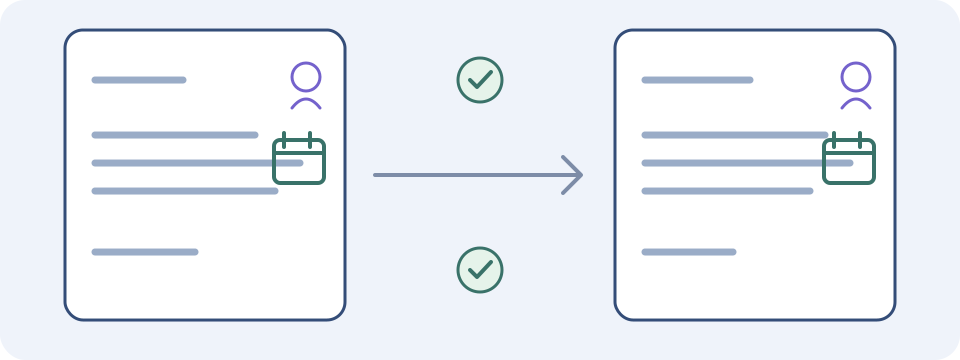
- Read each source paragraph beside its translated counterpart. Confirm that no sentence, qualification or enclosure reference disappeared or appeared.
- Check names, addresses and reference strings character by character. Keep the intended spelling rather than replacing a person or place with a guessed Spanish equivalent.
- Confirm negatives, possibility, obligation and uncertainty as complete phrases: “may,” “must,” “cannot” and “has agreed” express different things.
- Clarify ambiguous numeric dates with the writer instead of choosing a local interpretation silently. Expand a month name when the source meaning is known; do not invent a missing year, deadline or time zone.
- Read the greeting, pronouns and closing together with a reviewer who understands the reader’s relationship and variety. A more formal phrase is not automatically more accurate.
Only polish style after those checks. Keep a record of any substantive correction and compare the revised version again. Do not add background facts in the translation simply to make an unclear original sound more confident.
If the Letter Is on Paper, in a Photo or in a PDF
This embedded text tool accepts pasted text, not a letter attachment. If you obtain text from a paper letter, scan or PDF through a separate authorized workflow, compare every extracted line against the original before using it here. Missing handwriting, a cropped line or an OCR substitution can produce a fluent translation of the wrong source.
For a permitted supported photograph, you can compare the separate image translation directly with the original photo. If you instead choose this text demo, enter verified original English, not Spanish already translated by the image tool. A translated picture is not a checked transcription or a promise of an editable, formatted letter. Keep all pages, their order and relevant handwritten additions connected; ask the sender or a capable reader about anything you cannot decipher. The image workflow has its own inputs and allowance.
Read the handwritten-note translation guide
Open the separate image translation tool
Choose a Different Workflow When the Delivery Matters
A pasted personal passage and a finished document have different needs. The text demo does not preserve letterhead, signatures, a scanned seal or exact page layout, and it does not provide a dedicated letter-file download, mail integration or automatic sending. Reassemble and inspect the letter in your own authorized editor, keeping the translation distinct from the original.
For a document submitted to an institution or used for an important decision, ask the receiving organization what it requires and use an appropriate professional when needed. Do not describe this generated draft as certified or assume that informal understanding meets submission requirements. Translation also does not establish what action you should take about a letter.
Google’s official desktop help distinguishes typed-word translation from document and website translation. Those are separate Google workflows, with their own supported inputs and limits; their features do not become features of the JotMe text component.
Read Google’s written-word translation help
Read Google’s document translation help
For inbox and reply steps, read the email-translation guide
Save a Version You Can Actually Send
- Keep the original, the checked Spanish version and a short record of unresolved or corrected wording.
- Restore private details from your separate mapping where appropriate, then check the intended greeting, pronouns and gender/number agreement with the writer. A name alone does not establish gender.
- Remove the tool’s Explanation and your checking notes from the outgoing letter unless you intentionally want the reader to see them.
- Inspect paragraph breaks, greeting, closing and any enclosure reference in the final document. Preview the actual message or file you will send.
- Send through your chosen channel once the meaningful uncertainties are resolved.
Open the English-to-Spanish text translator
Frequently Asked Questions
How do I translate a personal letter from English to Spanish?
Keep the complete English source, select English and Spanish in the text demo, and paste a short permitted passage. Translation starts automatically after a pause. Compare every Spanish sentence with the original, including names, dates, requests, negatives and conditions, then save and review the final letter in your own document before sending.
Can I upload a PDF or a photograph in this letter demo?
This embedded text component accepts pasted text rather than attachments. Use a separate authorized extraction or image workflow for a paper letter, photo or PDF, then verify any extracted original words and page order before pasting. The separate image tool has its own supported formats and allowance; it does not promise an editable formatted letter.
Can the tool choose the right Spanish tone for my recipient?
The text component has source and target language selectors, but no dedicated recipient, tone or regional-Spanish control. Its generated Explanation is not independent validation. Check the greeting, pronouns and closing with someone who understands your relationship and the reader’s variety, particularly when the tone or an indirect phrase matters.
Should I paste instructions about tone into the letter box?
Use the box for the source passage you intend to translate. This component has no separate instruction field, so extra directions can be treated as part of that text. Clarify your own source outside the tool, keep the original, and resolve tone or ambiguous meaning with an appropriate reviewer rather than relying on a hidden instruction workflow.
How Do I Keep a Longer Letter Consistent?
Keep connected paragraphs together when the remaining allowance permits. Retain references to people and earlier requests, and save the original and every translated section outside the tool. Review the assembled letter for consistent address, tense, recurring terms and closing. Separate requests do not promise persistent context or reset the shared lifetime allowance; resolve cross-paragraph ambiguities with a suitable bilingual reviewer.
Is a translated letter certified or ready for official submission?
This demo produces a draft and does not certify a letter, preserve seals or determine an institution’s requirements. Ask the receiving organization what it needs and use an appropriate professional when necessary. Keep informal understanding separate from a translation intended for submission or an important decision.
Is letter translation unlimited, offline or automatically saved?
The initial allowance is 5,000 estimated lifetime tokens shared with prior text-demo use, including input, translated output and explanation. It is not a daily, per-letter or word allowance; edits, retries, splitting and language changes do not reset it. Processing uses the network. Save the source and final version in your own document.