To translate a support ticket, keep the original customer message beside the translated draft and check what happened, what is missing and what the customer wants next. A smooth sentence can still reverse a “not,” change the item involved or turn a request into a promise your team has not made.
This guide is for a support agent checking a short written message. The embedded tool translates a permitted excerpt; it does not connect to your helpdesk, update a ticket or send a reply.
- Use an approved, redacted message with enough surrounding context to understand it.
- Choose the actual source and target languages, then translate the short passage.
- Compare the customer’s facts and requested action with the original before drafting a response.
Keep the Original Message and Its Context
Read the subject and nearby messages before isolating a passage. “It arrived” may refer to the order, a replacement or an earlier parcel. If a preceding sentence resolves that reference, include the minimum permitted context in the passage sent to the tool, with speaker labels. For example: “Customer: I am waiting for the replacement monitor. Customer: It arrived yesterday, but the cable is missing.” Keep editorial notes separate from the customer’s words. Follow your team’s rules for what may be shared with an external tool.
Separate a customer’s words from an agent’s internal note. A request for a refund is different from an approved refund, and a delivery estimate is different from a confirmed delivery. Preserve which person said each thing.
If an identifier is unnecessary for the translation, replace it consistently with a placeholder such as [ORDER_1]. Retain the mapping in your approved internal system and preserve which item each reference belongs to. Redaction and placeholders do not replace your team’s sharing policy.
Try a Fictional Spanish Support Ticket
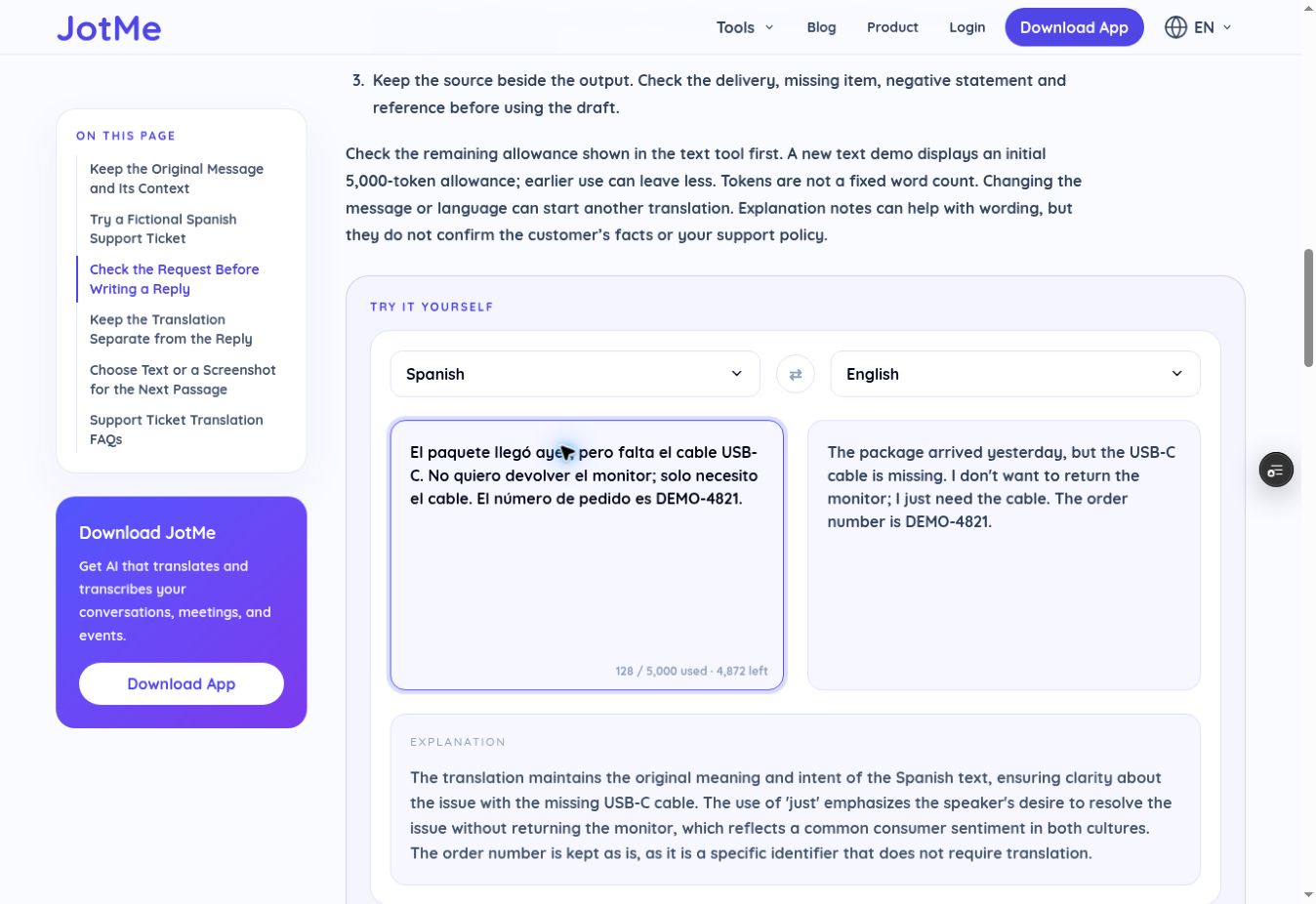
This author-written message and order reference are fictional. The Spanish source below was also used in one reviewer-observed preview test. Its captured English result appears after the tool; that single run is evidence of this example, not an accuracy guarantee.
El paquete llegó ayer, pero falta el cable USB-C. No quiero devolver el monitor; solo necesito el cable. El número de pedido es DEMO-4821.
- Set the source to Spanish and the target to English for this example. For your own passage, choose its actual languages.
- Paste the complete short message. Translation starts automatically after you pause; there is no separate submit step.
- Keep the source beside the output. Check the delivery, missing item, negative statement and reference before using the draft.
Check the remaining allowance shown in the text tool first. A new text demo displays an initial 5,000-token allowance; earlier use can leave less. Tokens are not a fixed word count. Changing the message or language can start another translation. Review the translation and explanation separately: explanation notes may add unsupported interpretations, and they do not confirm the customer’s facts, motivations, culture or your support policy.
Try it yourself
0 / 5,000 used · 5,000 left
Translation will appear here
Explanation
An explanation of translation choices appears here when your translation is ready.
Check the Request Before Writing a Reply
In the reviewer’s captured preview test, dated November 13, 2026, the English output was: “The package arrived yesterday, but the USB-C cable is missing. I don't want to return the monitor; I just need the cable. The order number is DEMO-4821.” Both the source and result concern fictional details. Future outputs may differ.
- Source: the parcel arrived yesterday. Observed draft: “The package arrived yesterday.” Check: arrival is preserved; verify “yesterday” against the original message timestamp and its time zone.
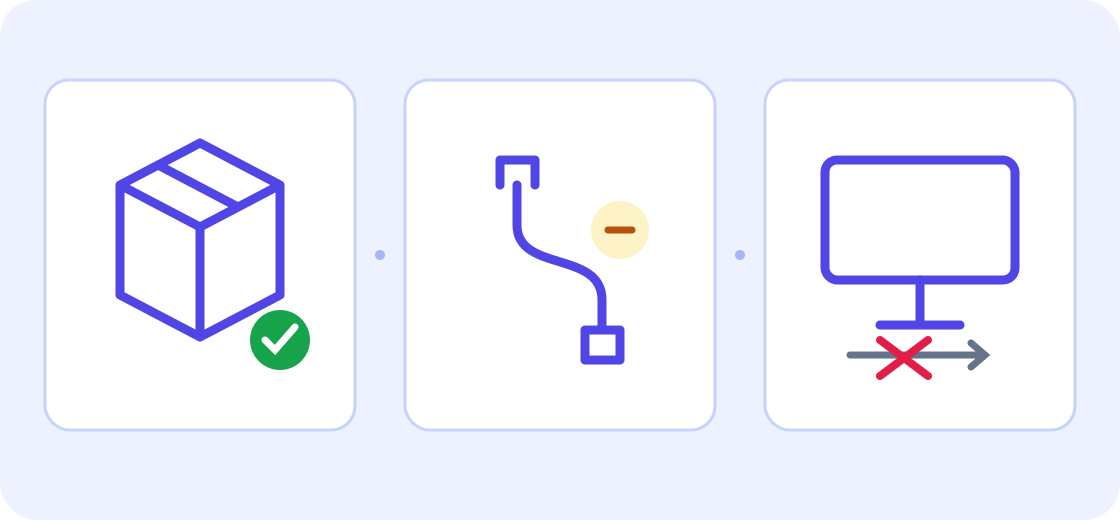
- Source: the USB-C cable is missing, and the customer does not want to return the monitor. Observed draft preserves both points. Check: missing cable must not become missing monitor or a return request.
- Source: only the cable is requested, with reference DEMO-4821. Observed draft preserves the cable-only request and exact reference. Check: no refund or replacement monitor was invented.
The explanation in that same capture described a consumer sentiment “in both cultures.” The Spanish passage provides no evidence for that interpretation. Discard it when assessing the request; check the translated sentences against the source instead of treating an explanation as customer context.
For this example, an English draft should preserve that the parcel arrived yesterday, the USB-C cable is missing, and the customer does not want to return the monitor. The request is for the cable only. The fictional reference DEMO-4821 should remain unchanged. These are checks against the Spanish source, not a prescribed tool output.
- Event and timing: did the parcel arrive yesterday? Check that relative word against the original message timestamp and time zone. Preserve the relative wording unless an absolute date is supported; put any deliberate date conversion in a separate working note.
- Item and scope: is the cable missing, rather than the monitor missing or broken?
- Negation: does “No quiero devolver el monitor” still mean the customer does not want to return it?
- Requested action: does “solo necesito el cable” stay a request for the cable, without an invented refund or replacement monitor?
- Identifiers and values: preserve exact characters in order references, model names and error codes. For quantities, money and dates, check the underlying value and unit separately from the target language’s formatting. For example, 29,90 € and €29.90 can express the same amount; a changed order code cannot be excused as formatting.
If the source is ambiguous, mark the uncertainty and ask the customer or a colleague who can compare both languages. Do not choose a more convenient interpretation just because the translated sentence sounds certain. Keep product names and internal terminology consistent with your team’s approved terms.
Separate a Refund Status from a Promised Update
Use this additional author-written example to practise status and deadline checks. It reflects facts the reviewer checked in a second fictional test, but the wording here is an editorial exercise, not a captured second English output.
Cliente: El reembolso de 29,90 € aún no aparece. No cancelen el pedido DEMO-4821. Agente: Hemos solicitado una revisión; el reembolso todavía no está aprobado. La próxima actualización será antes del viernes a las 17:00, hora de Madrid.
- Customer: €29.90 has not appeared, and order DEMO-4821 must not be cancelled. Preserve the amount, currency, reference and negative instruction.
- Agent: a review has been requested; the refund is not yet approved. Do not turn either statement into a completed refund.
- Next update: before Friday at 17:00, Madrid time. Preserve the deadline and time zone. This promises an update, not a refund, resolution or delivery by that time.
Keep the Translation Separate from the Reply
Copy the checked wording into your approved draft or internal-note location, retaining the original message. Check the composer’s visibility before saving. Keep unresolved translation notes out of the customer-facing reply and follow any notification or automation rules attached to internal notes. Correct the draft there; adding instructions to the translator’s source box does not directly edit the displayed result and can trigger another translation.
Then draft a reply that your team is authorized to send. Translation does not approve a refund, confirm stock or promise a delivery date. Check those facts in your usual systems. To translate an approved English reply into Spanish, first clear the previous source, select English as the source and Spanish as the target, and paste only the approved reply. Review the new result before sending through your normal channel.
Helpdesk tools may have their own conversation translation and original-text controls. Zendesk documents Public reply and Internal note as different destinations; its internal notes are visible to agents rather than the requester. Check the actual configuration and attachment or notification rules. The JotMe excerpt tool does not choose that destination or update the ticket.
Zendesk’s conversation translation guide
Zendesk’s guide to public replies and internal notes
Choose Text or a Screenshot for the Next Passage
Use a short selectable message in Text Translation when you can copy it accurately. If the ticket exists only as a screenshot, use the separate Image Translation tool: choose the target language, upload a supported image within the displayed limit, then click Translate image. The source language is detected automatically. Current supported formats are PNG, JPEG, WEBP and static GIF, with a displayed 4MB limit. Check the separate allowance and compare recognized words, complete sentences, line breaks and numbers with the original.
Cropping alone may leave a name or email address inside the message. Redact unnecessary details within the image, preserve the complete sentence and important numbers, and inspect the exported image before uploading it. Follow your organization’s approved redaction and sharing process; this workflow makes no legal compliance promise.
Practical ICO guidance on checking and redacting documents before sharing
For a technical message inside a ticket, keep the exact error code and product wording for the real support team. Translating the message is a language task; it does not diagnose or fix the fault.
Guide to translating an error message
Support Ticket Translation FAQs
How do I translate a support ticket into English?
Use a permitted short message, choose the actual source language and English as the target, then compare the translated draft with the original. Check what happened, the item involved, any negative statement and the requested action. Keep the original available while reviewing.
Does the embedded translator connect to my helpdesk?
This article’s embedded text tool translates the excerpt you paste. It does not connect to a helpdesk, update a ticket or send a customer reply. Use your normal approved workflow to retain corrections and send a reviewed response.
Should I paste the entire conversation?
Include the minimum permitted context needed to understand the passage, such as a preceding sentence that identifies “it,” and keep speaker labels. Remove unnecessary personal details and internal comments under your team’s policy. Use consistent placeholders where appropriate; keep their mapping in your approved system. The remaining token allowance may be lower after previous use.
How do I stop a negative word from changing the request?
Compare the relevant source sentence directly with the draft. In the fictional example, not wanting to return the monitor must not become a return request. If you cannot confirm the meaning, ask someone who can compare both languages rather than guessing.
Can I translate a screenshot of a ticket?
Use the separate Image Translation tool for a permitted screenshot. Choose the target language, upload PNG, JPEG, WEBP or static GIF within the displayed 4MB limit, and click Translate image; the source is detected automatically. Redact unnecessary details inside the image and inspect the export. Preserve complete sentences and important numbers, compare recognized text, and check its separate allowance.
Can I send the translated reply without checking it?
Review meaning and business commitments before sending through your normal channel. A translation does not authorize a refund, verify availability or confirm a delivery date. A promised update is different from an approved refund or resolution. Clear the earlier source and select the new translation direction before translating an approved reply; check the result again.